Introduction
You have one AI assistant and it works brilliantly. Now you need more:
- one for personal tasks
- one for the sales team
- one for customer support
- one for development
- one for research
A separate machine for each? Expensive, power-hungry and unnecessary. The better answer is to consolidate several AI assistants on one mini PC using virtualisation.
Why it works
OpenClaw and similar AI gateway frameworks are surprisingly light. The heavy lifting happens in the cloud (Anthropic, OpenAI and others). The local machine only needs to:
- run the gateway process (about 200–400 MB RAM)
- handle websocket connections
- run local tools when needed
- store conversation history
| Resource per assistant | Minimum | Comfortable |
|---|---|---|
| RAM | 2 GB | 4–8 GB |
| CPU | 1 core | 2–4 cores (shared) |
| Disk | 10 GB | 20 GB |
Takeaway: a machine with 32–64 GB of RAM can comfortably run 5–10+ assistants.
How OpenClaw fits in
OpenClaw acts as an intelligent gateway between your chat channels and cloud AI APIs. Users write in a channel, the message reaches OpenClaw, OpenClaw adds context and tools, and the AI API produces the reply. Each assistant gets its own configuration, system prompt and tool set.
In this architecture every assistant runs in its own LXC container on Proxmox VE – VM-like isolation with container efficiency.
Hardware options
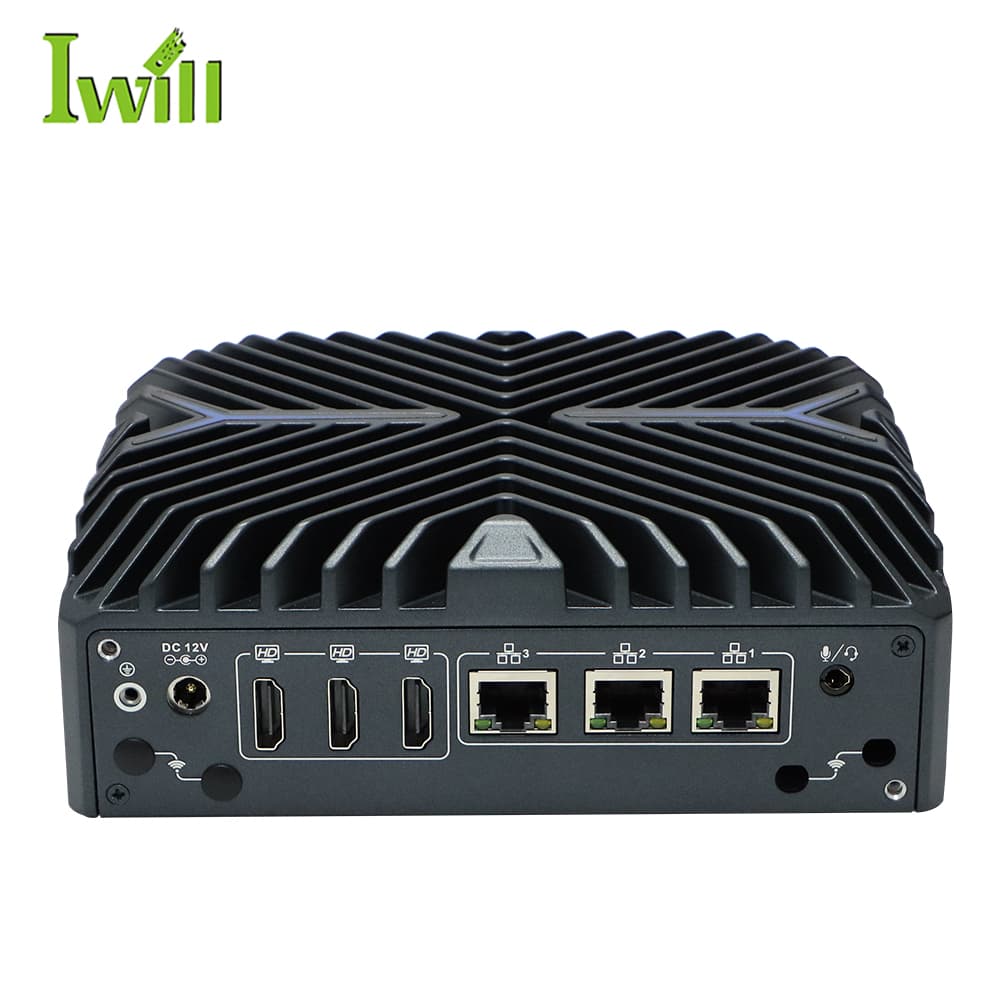
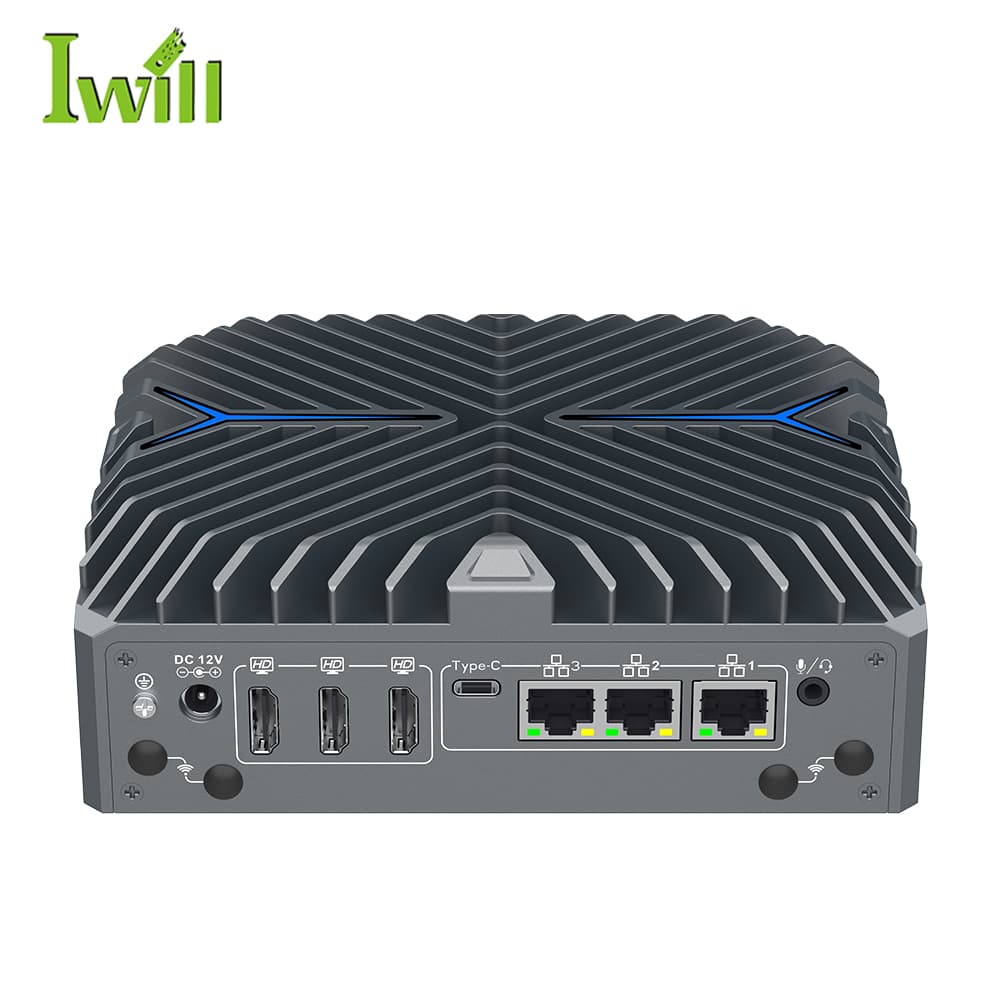
Entry level: IWILL N3322
- Intel Core i3/i5/i7-1255U (up to 10 cores)
- Up to 32 GB DDR5
- 3× M.2 storage slots
- 3× 2.5G LAN
- Fanless, 170 × 140 × 58 mm
Capacity: 4–6 assistants at 4–6 GB each.
Suits: small teams, home labs, testing multi-agent architectures.
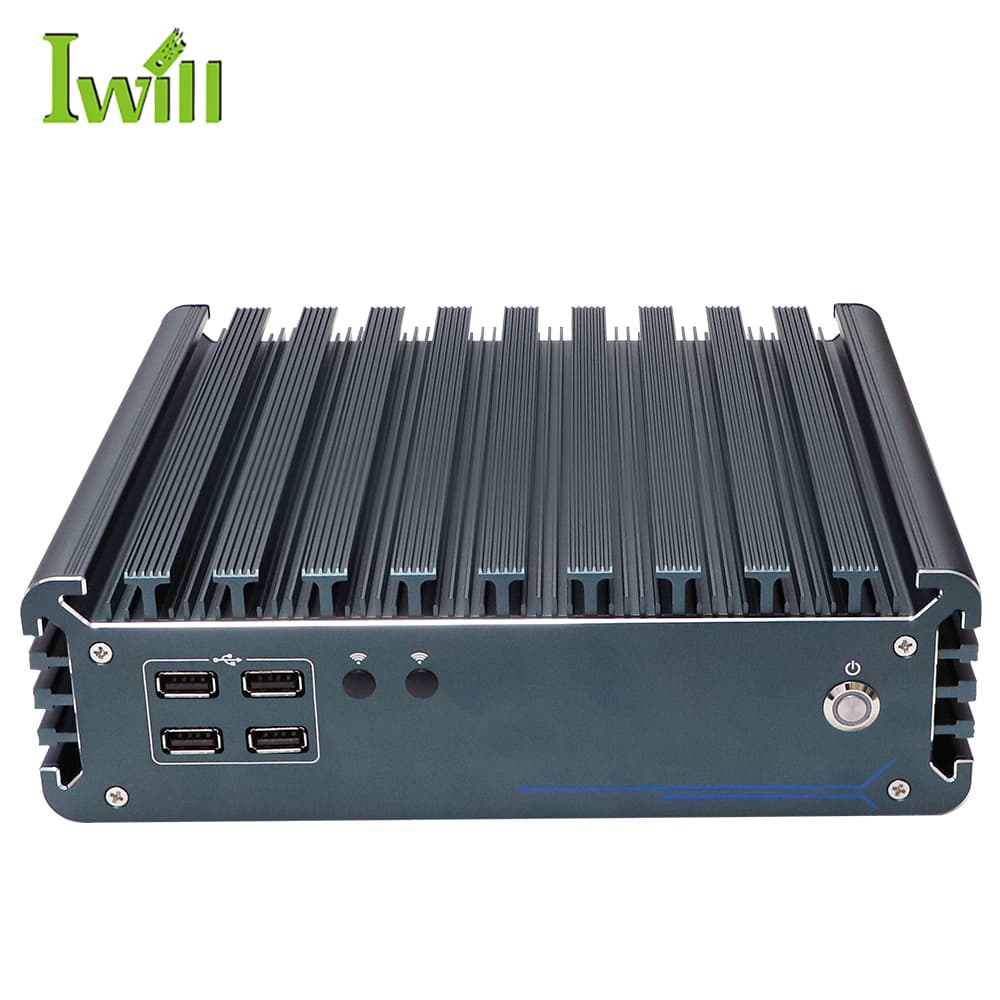
Professional: IWILL IBOX-3226 (recommended)
- Intel Core i3/i5/i7 12th gen (up to i7-1255U)
- Up to 64 GB DDR4 (2 slots)
- M.2 NVMe + 2× 2.5" bays
- 2× LAN, 4× COM
- Fanless industrial design
Capacity: 8–12 assistants at 6–8 GB each.
Suits: production environments, agencies and companies with many specialised agents.
Step-by-step installation
Install Proxmox VE
Download the Proxmox VE ISO from proxmox.com and install it on the mini PC, then update:
apt update && apt dist-upgrade -yDownload the Ubuntu LXC template
pveam update
pveam available | grep ubuntu-24.04
pveam download local ubuntu-24.04-standard_24.04-2_amd64.tar.zstCreate a base container
pct create 100 local:vztmpl/ubuntu-24.04-standard_24.04-2_amd64.tar.zst \
  --hostname claw-template \
  --memory 8192 --swap 1024 --cores 4 \
  --rootfs local-lvm:20 \
  --net0 name=eth0,bridge=vmbr0,ip=dhcp \
  --unprivileged 1 --features nesting=1

pct start 100
pct enter 100Install OpenClaw inside the template
apt update && apt upgrade -y

# Node.js 22
curl -fsSL https://deb.nodesource.com/setup_22.x | bash -
apt install -y nodejs

npm install -g openclaw
apt install -y tmux htop curl git

# Optional: Tailscale for remote access
curl -fsSL https://tailscale.com/install.sh | sh

useradd -m -s /bin/bash openclaw
mkdir -p /home/openclaw/.openclaw
chown -R openclaw:openclaw /home/openclaw

apt clean && history -c
exitConvert it to a template
pct stop 100
pct template 100Clone the assistants
pct clone 100 101 --hostname claw-sales --full
pct clone 100 102 --hostname claw-support --full
pct clone 100 103 --hostname claw-dev --full
pct clone 100 104 --hostname claw-research --full

for id in 101 102 103 104; do pct start $id; doneConfigure each assistant
pct enter 101
su - openclaw
openclaw configure
Each assistant needs its own (or tracked shared) API keys, unique bot tokens for Discord or Telegram, and its own system prompt and skills.
Result: from template to a working assistant in under 15 minutes; adding another is a single clone command.
Resource calculator
N3322 (32 GB RAM) – optimum 4–5
| Assistants | RAM each | Total | Headroom |
|---|---|---|---|
| 4 | 6 GB | 24 GB | 8 GB |
| 5 | 5 GB | 25 GB | 7 GB |
| 6 | 4 GB | 24 GB | 8 GB |
IBOX-3226 (64 GB RAM) – optimum 6–8
| Assistants | RAM each | Total | Headroom |
|---|---|---|---|
| 6 | 8 GB | 48 GB | 16 GB |
| 8 | 6 GB | 48 GB | 16 GB |
| 10 | 5 GB | 50 GB | 14 GB |
Use cases
Digital agency
- claw-content – blog writing and SEO research
- claw-social – social media management
- claw-client – client communication drafts
- claw-code – website development help
E-commerce
- claw-support – customer support linked to the helpdesk
- claw-inventory – stock monitoring and alerts
- claw-marketing – product descriptions and ads
- claw-analytics – sales data analysis
Development team
- claw-review – code review assistance
- claw-docs – documentation generation
- claw-devops – CI/CD and deployment help
- claw-research – technology research
Personal productivity
- claw-work – professional tasks
- claw-home – home automation and errands
- claw-finance – budgeting
- claw-learning – study and research
Pro tips
1. Tailscale for remote access
Each container can get its own Tailscale IP, giving encrypted access from anywhere without opening router ports. Unprivileged containers need the TUN device passed through first (see the Tailscale documentation for Proxmox LXC).
pct enter 101
tailscale up --hostname=claw-sales
2. Snapshot before changes
Always snapshot before an upgrade so rolling back is instant:
pct snapshot 101 pre-update --description "Before OpenClaw upgrade"3. Shared API keys with tracking
Use one Anthropic or OpenAI key for all assistants and track usage per assistant through OpenClaw’s session logs.
4. Separate channels per assistant
Each assistant should have its own Discord bot token, its own Telegram bot from BotFather and, if you use Slack, its own Slack app.
5. Central monitoring with Netdata
Install Netdata on the Proxmox host for real-time monitoring, then open http://your-ip:19999:
bash <(curl -Ss https://get.netdata.cloud/kickstart.sh)LXC vs Docker vs full VMs
| Approach | RAM overhead | Start time | Isolation | Verdict |
|---|---|---|---|---|
| LXC containers | ~100 MB | 2–5 s | Good | Best balance |
| Docker | ~50 MB | 1–2 s | Moderate | Fine for uniform environments |
| Full VMs | ~500 MB+ | 30–60 s | Excellent | Overkill here |
Recommendation: LXC for multi-assistant deployments – near-VM isolation with container efficiency.
Separate boards or one consolidated host?
Traditional: six single-board computers
- Six boards, six power supplies, cases and SD cards
- Around 6 × 15 W = 90 W
- Six devices to patch, back up and replace
Consolidated: one IBOX-3226
- One fanless host with up to 64 GB RAM
- Low-power U-series CPU
- One device to maintain, snapshot and monitor
Bonus: simpler management, better performance per assistant and a single point of maintenance. Pricing is quoted per configuration – send us your assistant count and we will size it.
At a glance
5–10+
assistants per machine
2–5 s
container start time
64 GB
max RAM on IBOX-3226
0 dB
fanless operation
Conclusion
Running several AI assistants does not need a server rack. A compact mini PC with Proxmox and LXC gives you:
- Efficiency – 5–10 assistants on one machine
- Isolation – each assistant in its own environment
- Flexibility – easy cloning, snapshots and migration
- Savings – one machine, one power supply, one point of maintenance
Whether you choose the N3322 for smaller deployments or the IBOX-3226 for production workloads, the architecture scales smoothly. For a single always-on agent, see the ClawBrain 24/7 agent server guide.
Recommended hardware
Mini PC and fanless box PC platforms for multi-assistant AI deployments.