Introduction
You installed Ollama. You started OpenClaw. Your local AI model runs 24/7 on the mini PC in the living room, and for the hard problems you call Claude or GPT through an API. But who is guarding the door?
Over the last two years, self-hosting AI has gone mainstream. Ollama has become the default way to run local LLMs, open-source agents such as OpenClaw have attracted huge communities, and distilled models like DeepSeek R1 made local inference possible on a machine with 16 GB of RAM. In practice most teams run a hybrid setup: local models for simple and confidential tasks, cloud APIs (OpenAI, Anthropic, Google) for complex reasoning and generation.
The problem? Most of these setups sit behind an ordinary ISP router – no firewall, no VLAN isolation, no monitoring of outbound traffic. Ollama listens on port 11434. OpenClaw has access to the file system. Cloud API keys live in .env files. AI agents run commands on your behalf, locally and in the cloud.
This article covers the real threats to home and hybrid AI labs, what ClawFirewall is, and how an IWILL N1241 or N1121 with OPNsense gives you professional-grade protection without subscriptions – whether you run local models only or a mix of self-hosted and cloud AI.
Self-hosted and hybrid AI: why the hybrid approach wins
Self-hosted AI means running models on your own hardware instead of paying a cloud provider for access. Your data stays with you, there are no per-token fees and no usage caps.
But let us be realistic: local models such as Llama, Mistral and DeepSeek do not replace frontier cloud models for complex reasoning, multilingual work and code generation. That is why most organisations settle on a hybrid approach – local models for fast, simple and private tasks, cloud APIs when maximum capability is needed.
Ollama
Runs local LLMs (Llama, Mistral, DeepSeek) with a single command. Listens on port 11434 for API requests.
OpenClaw
An AI agent that reads files, manages your calendar and runs commands on your behalf.
LM Studio
A desktop app for downloading and running models through a friendly interface. Ideal for beginners.
Hardware note: The practical minimum for local AI is 8 GB of RAM and 4 CPU cores; for serious work with 7–8B models, plan on 16–32 GB. As an AI host we suggest the N3422 (Core Ultra, DDR5) or the N3281 (Core Ultra, up to 64 GB DDR5) for larger models – speed depends on the model and is not guaranteed. On a budget, the N1221 takes up to 32 GB DDR4. To protect the network, use an N1241 or N1121 as the firewall.
Four common hybrid patterns
Router pattern
An AI router decides whether a request goes to a local model (fast, simple task) or a cloud API (complex reasoning). Examples: n8n, LiteLLM, OpenRouter.
Cascade pattern
The request goes to a local model first. If it cannot answer confidently, it escalates to a cloud model – cutting API spend considerably.
Privacy filter
The local model anonymises sensitive data (names, addresses, contracts) before the request reaches the cloud API. The cloud only sees de-identified text.
Specialised split
Different models for different jobs: Whisper locally for transcription, Stable Diffusion locally for images, Claude or GPT in the cloud for analysis and code.
Why it matters: In a hybrid setup the firewall controls egress traffic – it allows only specific cloud APIs (api.openai.com, api.anthropic.com) and blocks everything else. Even a compromised AI agent then cannot send your data to an unknown server.
The 7 biggest threats to your AI setup
Local AI is not invisible on the internet. Every exposed service is a potential entry point.
1. Exposed LLM ports
Ollama listens on port 11434 by default with no authentication. If it is reachable from the internet, anyone can query your model, generate abusive content from your IP address or overload the machine. Security researchers have found thousands of exposed agent instances worldwide.
2. Prompt injection
Agents with internet access can be manipulated by hidden instructions in web pages. The agent believes it is following your request but actually reads files, deletes data or sends information out.
3. Data exfiltration
A compromised agent with file access can quietly send your data – passwords, personal documents, business information – to an external server. Without outbound monitoring you will never know.
4. Poisoned plugins
Security firms have reported waves of malicious community plugins for AI agents that steal crypto wallets and personal data. As with npm packages, not everything in a community registry is safe.
5. Lateral movement
If the AI machine shares a network with your laptop, NAS and cameras, compromising the AI gives direct access to everything else. Without VLAN isolation your whole network is at risk.
6. Leaked API keys
In a hybrid setup, keys for OpenAI, Anthropic or Google sit in .env files on the local machine. A compromised agent or plugin can read and abuse them – on your bill. The OWASP Top 10 for LLM applications lists sensitive information disclosure as a core risk.
7. Shadow AI
In offices and shared networks, anyone can install AI tools and copy sensitive data to unknown cloud services. Without DNS filtering and egress control, you do not know who is sending what, where.
What is ClawFirewall?
ClawFirewall is a network appliance configured specifically to protect AI infrastructure, local and hybrid. Unlike a generic firewall, it is set up around the ports, protocols and behaviour of AI services and can block threats aimed at them.
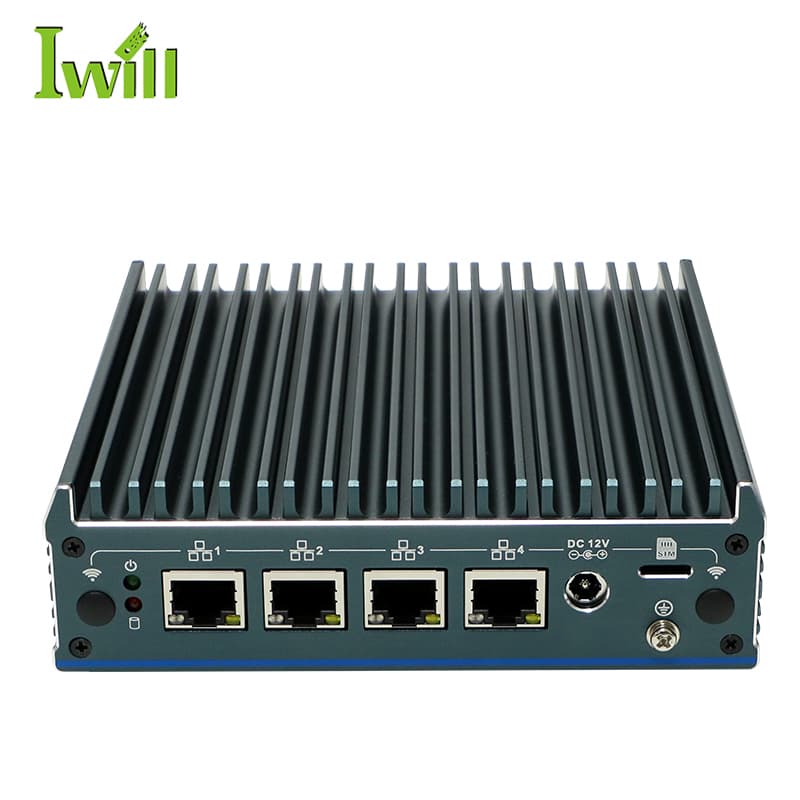
For hybrid setups it adds the protections that matter: egress filtering (only approved cloud API domains), DNS filtering (blocks shadow-AI endpoints), rate limiting (flags abnormal API traffic) and deep packet inspection of outbound data. On the N1241, four physical ports become four isolated zones, so AI devices have no path to your personal data.
The difference: Cloud security vendors sell “AI firewalls” as SaaS with a monthly subscription. ClawFirewall (IWILL N1241 + OPNsense) delivers the same controls in hardware you own – for local models, cloud APIs and everything in between. See the AI Firewall page for configurations.
The software stack: OPNsense + Zenarmor
Hardware is the foundation; the protection comes from the right software. This is what we run on the N1241 and N1121.
OPNsense
- Open-source firewall OS, forked from pfSense
- Modern UI with a REST API for automation
- Frequent security updates
- VLAN, VPN, QoS, DHCP and DNS built in
Zenarmor (NGFW)
- Deep packet inspection with machine-learning classification
- Category blocking: malware, botnets, phishing
- Application control
- Free Home tier or paid Premium plans
Egress filtering
- Controls outbound traffic from the AI zone
- Allow-list for cloud AI APIs such as api.openai.com and api.anthropic.com
- Blocks unauthorised AI endpoints
- DNS filtering through Unbound
VLAN segmentation
- Physical isolation of the AI zone
- 4 ports = 4 network zones (WAN / LAN / AI / IoT)
- Firewall rules between zones
- No managed switch needed
N1121, N1241 or N3281: which one?
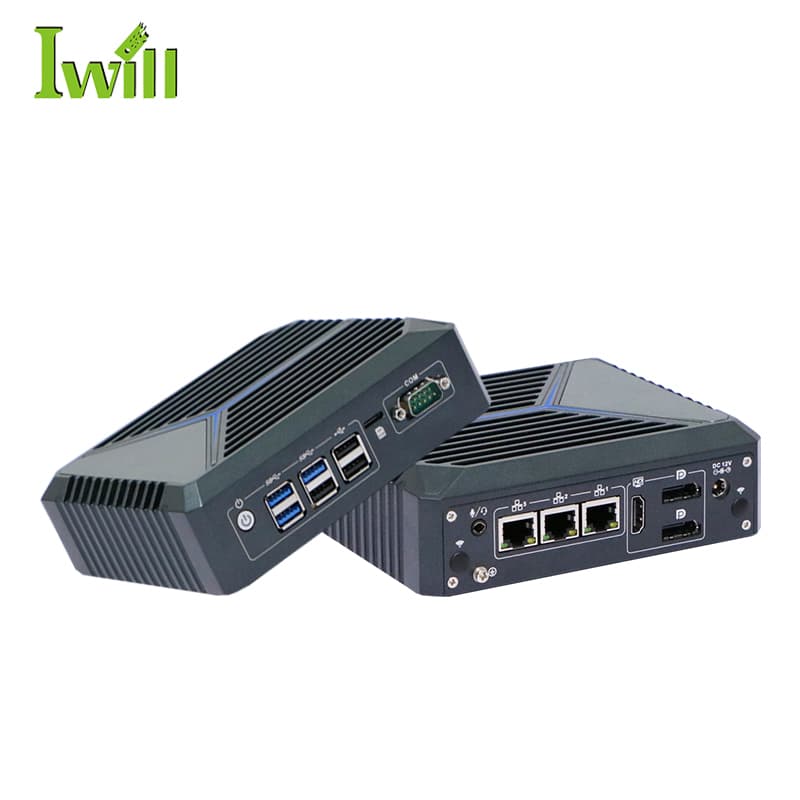
N1121 – budget choice
- Intel Celeron J6412 (4 cores, 2.6 GHz)
- Up to 32 GB DDR4
- 3× 2.5G LAN (WAN + LAN + OPT)
- AES-NI, TPM 2.0, watchdog
Best for: a home AI setup with a single AI machine, with more RAM for logs and Zenarmor.
N1241 – recommended for AI
- Intel Alder Lake N200 (4 cores, up to 3.7 GHz)
- Up to 16 GB DDR4
- 4× 2.5G LAN (WAN + LAN + AI + IoT)
- TPM 2.0; pfSense, OPNsense or Proxmox
Best for: an AI lab with several devices – four physically isolated zones and a faster CPU for DPI.
N3281 – enterprise
- Intel Core Ultra 5/7 (12 cores, up to 4.8 GHz)
- Up to 64 GB DDR5 5600
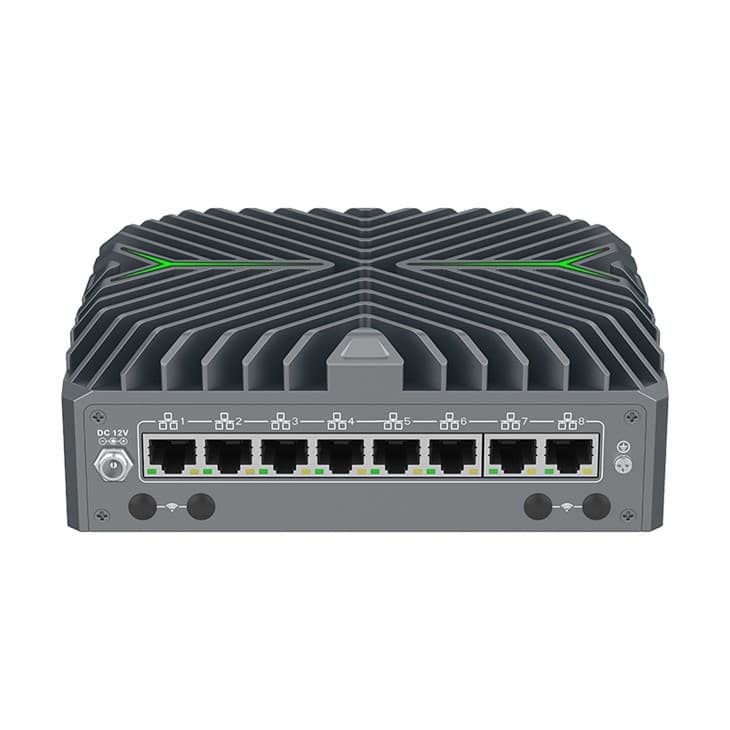
- 8× 2.5G LAN (1× i226-LM with vPro)
- TPM 2.0; pfSense, OPNsense or Linux
Best for: companies with several AI servers – eight ports for physical segmentation plus Zenarmor DPI.
Cost comparison
| Fortinet FortiGate 90G | Palo Alto PA-400 | N1241 + OPNsense | |
|---|---|---|---|
| Annual licence | Required | Required | Not required |
| AI-specific rules | No | ML-based | Zenarmor + custom rules |
| VLAN ports | Depends on model | 4–8 ports | 4× 2.5G |
| Open source | No | No | Yes |
| Running costs after purchase | Annual licences | Annual licences | None |
Based on manufacturers’ publicly available information. OPNsense is free. Zenarmor Home Edition is free for personal use.
Quick start: 5 steps
Place the N1241 between the ISP router and your network
Install OPNsense (about 15 minutes)
Set up the zones
Install Zenarmor
Monitor and test
N1241 AI Shield – key figures
4× 2.5G
LAN ports
3.7 GHz
Intel N200 boost
<15 W
fanless, silent
0
licence subscriptions
Conclusion
Whether you run local models only or a mix of self-hosted and cloud AI, network protection is essential. Privacy without security is an illusion: an agent with access to files, cameras and home automation that also talks to cloud APIs – all behind an ISP router – puts more at risk than it saves.
Hybrid is the practical choice, but it needs egress control, DNS filtering and VLAN isolation. With the N1241 and OPNsense you get four physically isolated zones, egress filtering for cloud APIs and Zenarmor deep packet inspection, without a single annual licence. For a simpler home setup with one AI server, the three-port N1121 is an excellent choice – see our N1121 firewall and VPN guide.
Firewall appliances for AI protection
Hardware for ClawFirewall, network security and VLAN segmentation.